Smart Watch - Clock Wallpaper
One Music PlayerPersonalization
4.6466.00 Reviews
- Version
- 2.1.0
- Installs
- 5.00M
- Age Rating
- Everyone
Screenshots
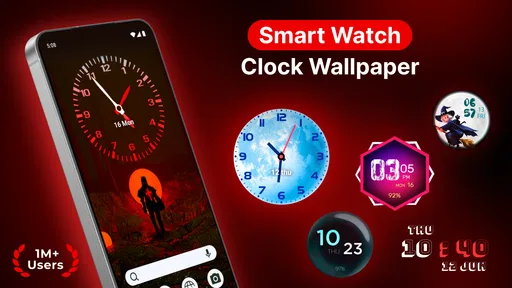
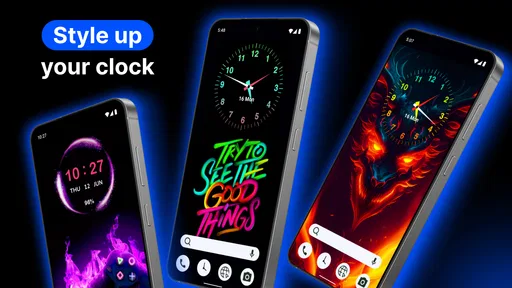
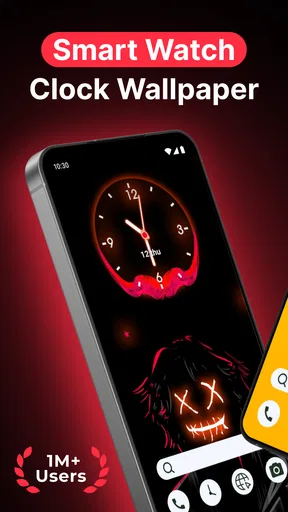
Our Review of Smart Watch - Clock Wallpaper
 Analysis by Appyee
When it comes to personalizing your smartphone, there’s nothing quite like the thrill of finding that perfect app that not only enhances functionality but also adds a dash of style. And that’s exactly what Smart Watch - Clock Wallpaper does. This app combines utility with aesthetics, allowing you to transform your phone’s display into a dynamic timepiece. It’s like having a smartwatch right on your home screen!
Readability and navigation in daily use
That clock-focused idea is most useful when I want to check the time without opening a separate clock app. A wallpaper is always part of the phone’s visual environment, so the practical question is whether its design stays legible behind icons and widgets. I’d try a restrained face first, then arrange the home screen around it; a busy wallpaper and a crowded icon grid can compete for attention even when each looks attractive on its own.
The app is in the personalization category, and its developer is One Music Player. It is free to install, with optional in-app purchases listed from $0.99 to $99.99 per item. That makes it easy to try the basic idea before deciding whether any paid extras are worthwhile. I would treat the free starting point as a chance to test how the clock looks on my actual device, rather than assume a particular style or option will suit every screen.
Its 4.7 average rating, drawn from around 108,000 ratings, suggests that many users find the concept appealing. It has been installed over 5 million times, but popularity alone does not tell me whether the wallpaper will fit a particular person’s vision needs or home-screen habits. I’d judge it by a simple test: can I read the time quickly at my usual brightness and from the distance at which I normally glance at my phone?
First Impressions and Usability
Upon firing up Smart Watch - Clock Wallpaper, I was immediately struck by its sleek interface. The app is user-friendly, with intuitive navigation that makes it a breeze to set up. Whether you’re a tech whiz or someone who just wants a cool clock on their phone, you’ll find this app accommodating.
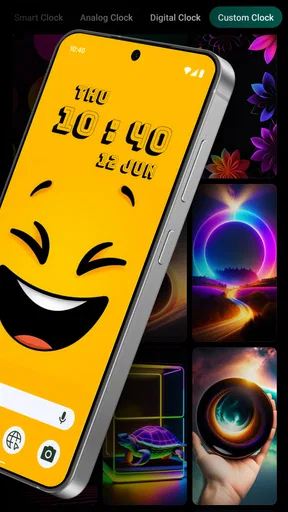
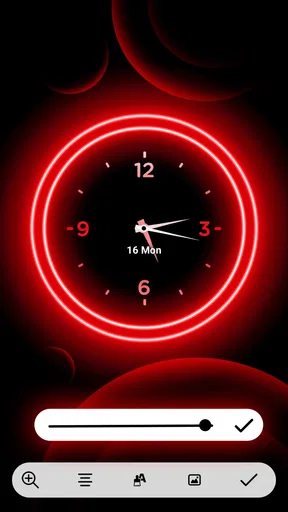
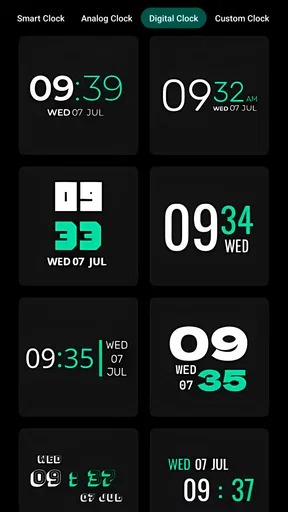
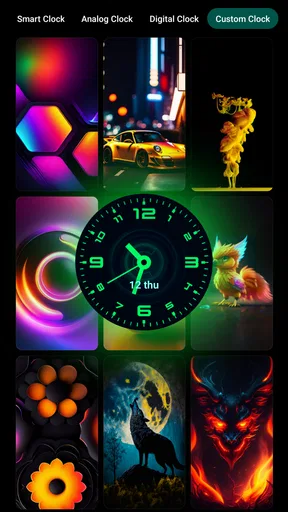
The setup process is straightforward. You can scroll through a variety of clock styles, each more intriguing than the last. The app offers digital and analog options, which can match any mood or preference. I personally loved the minimalist designs, which keep things clean and uncluttered. But if you’re into something more vibrant, there are plenty of colorful, animated clocks to choose from.
Choosing a face that remains readable
Different clock styles can change more than the mood of a home screen. A digital display may be easier to scan quickly for someone who prefers numerals, while an analog face can make the screen feel more like a traditional clock. I would not assume either format is automatically clearer: contrast, background detail, icon placement, and a person’s own visual preferences all matter. A useful first step is to preview the wallpaper with the apps and widgets that actually occupy the screen.
For a practical setup, I’d keep the area behind the time as uncluttered as possible and avoid placing frequently used icons over the most important parts of the face. This is a small but meaningful trade-off: a striking design may look great in a preview, yet be less convenient once notifications and app shortcuts enter the picture. If legibility is the priority, choosing a quieter look is usually wiser than picking the most elaborate option.
Features That Stand Out
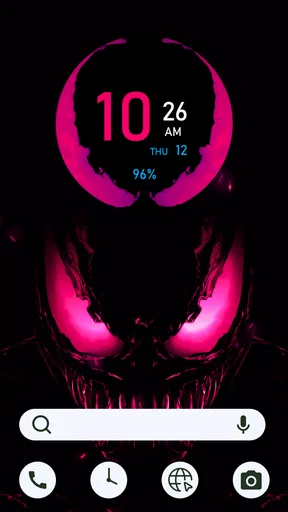
One of the standout features of this app is its customization options. You can tweak almost every aspect of the clock, from the color scheme to the clock hands. This means you can create a clock wallpaper that truly reflects your personality or your current vibe.
Another cool feature is the integration of weather updates. Imagine glancing at your phone and not only seeing the time but also getting a quick weather check. It’s these small details that really elevate the app’s utility.
For those who love to track time in different zones, the app supports multiple time zones. This is perfect for frequent travelers or people who work with international teams.
Motor and sensory considerations
Personalization can make a phone feel more comfortable to use, but a wallpaper is not a substitute for the device’s broader accessibility settings. Someone who relies on larger text, magnification, or spoken feedback should keep those needs in mind and check that the chosen clock design does not make the home screen harder to navigate. I’d also consider whether animated or colorful visuals feel distracting during routine use; a calmer face can be a better fit for a screen that is checked dozens of times a day.
There is a useful motor-access angle too. The clock can make a quick glance more convenient because it puts time information in the home-screen view, but it does not remove the need to operate the phone when someone wants another function. People who prefer fewer visual choices may find the browsing and tailoring process less appealing than setting a simple built-in wallpaper and leaving it alone. I would approach customization in short steps: choose a face, check it in context, and only then decide whether further adjustments help.
A realistic routine shows where the design can earn its place. I might check the time while getting ready, then glance at the screen between tasks without opening a dedicated clock. If I also need a quick weather cue or keep track of another time zone, those details could make the wallpaper more useful at a glance. But if I’m already using a widget that provides the same information clearly, adding another visual layer may create clutter rather than convenience.
Situational access and alternatives
This is best understood as a visual personalization choice, not as a replacement for a smartwatch or a full-featured clock app. A smartwatch is more suitable when I need time information on my wrist without reaching for my phone. A standard clock widget may be the better choice if I want a compact element that sits alongside other home-screen tools. A static wallpaper can be preferable if I want a quiet background and do not need a more expressive clock face.
Where this app makes most sense is for someone who already looks at the phone’s home screen often and wants the time display to feel intentional. It may also appeal to people who enjoy switching visual styles or who want a clock to be part of their wallpaper rather than a separate widget. On the other hand, someone who values maximum screen simplicity, relies on a particular assistive setup, or wants richer time-management tools may be happier with the phone’s built-in options or a dedicated clock app.
One practical way to decide is to test the wallpaper in the situations that matter: indoors and outdoors, with the screen brightness normally used, and with the usual icons in place. If the time remains easy to spot without obscuring important shortcuts, the design is doing its job. If I find myself repeatedly moving icons or changing the wallpaper just to make the display readable, that is a sign that a simpler alternative may be a better fit.
Performance and Battery Life
Now, you might be wondering about performance. After all, we’ve all been burned by apps that drain our battery faster than a marathon runner. Thankfully, Smart Watch - Clock Wallpaper is optimized to be light on resources. During my time using it, I didn’t notice any significant battery drain, which is a huge plus in my book.
The app runs smoothly without any noticeable lag or crashes. It’s clear that the developers have put in the effort to ensure a seamless experience, which is always appreciated.
For anyone comparing versions or deciding whether their phone can run it, the current version is 2.1.0 and the stated minimum operating-system requirement is version 7.0. Its content rating is Everyone. I’d still make the choice based on the device’s own settings and how the wallpaper behaves on the home screen, rather than treating compatibility as a promise about readability or comfort for every user.
Remaining barriers and who should skip it
The main limitation is inherent to the format: a clock wallpaper shares space with the rest of the home screen. A busy face can make icons harder to pick out, and an attractive preview does not guarantee the time will stand out against every background or lighting condition. People who need a highly controlled, consistently clear time display may prefer a simple clock widget or an accessibility-oriented setup they already know works for them.
There is also a practical cost consideration. The app is free to try, but optional purchases range from $0.99 to $99.99 per item, so I would check what is included before spending anything and decide whether the free experience already meets the need. If the main goal is simply to see the time, the phone’s existing clock and wallpaper tools may be enough. This app is more compelling when visual choice itself is part of the point.
It was released on January 24, 2023, and the listed age guidance is Everyone, which makes it broadly suitable as a personalization app. Still, suitability is personal: a child, an older adult, or someone with sensory sensitivities may each respond differently to the same design. I’d let the person who will use the phone choose the face and check it in their normal routine, rather than assuming that a general age rating answers questions about comfort or accessibility.
Final Thoughts
Overall, Smart Watch - Clock Wallpaper is a delightful app that combines practical functionality with aesthetic appeal. Whether you’re looking to spruce up your phone’s interface or just want a more interactive wallpaper, this app delivers. It’s perfect for anyone who wants their phone to not only function well but also look good doing it.
So, if you’re in the market for a new way to tell time and add a splash of style to your device, give this app a whirl. With its range of features and customization options, you might just find that perfect clock face you’ve been searching for. Time has never looked this good!
An inclusive choice when the screen suits you
My recommendation is conditional rather than universal: try it if a clock integrated into your home-screen look sounds genuinely useful, and assess the result with your own visual and motor preferences in mind. The strongest reason to keep it is the combination of a personalized clock and a screen design you enjoy; the strongest reason to pass is that a wallpaper can never guarantee the same clarity or interaction experience for everyone.
If I were helping a friend choose, I’d suggest starting with a restrained design, checking it alongside their everyday icons, and keeping it only if it makes time easier or more pleasant to check. That approach lets the app’s customization work for the person instead of asking the person to adapt to a decorative screen. For readers who find a suitable style, it offers a distinctive way to make the phone’s home screen feel more personal; for anyone who needs a more dependable or specialized display, a simpler built-in option may be the kinder choice.
Verdict
Strengths of Smart Watch - Clock Wallpaper
- Customizable watch faces enhance personalization.
- Supports battery-saving options.
- Seamless integration with most devices.
- User-friendly interface for easy navigation.
- Regular updates with new features.
Limitations of Smart Watch - Clock Wallpaper
- Limited free watch face options.
- Some features require in-app purchases.
- Occasional sync issues reported.
- Notifications can be delayed.
- Ads can interrupt user experience.
Other Releases by One Music Player
View All
Universal Tv Remote-Cast to TV
House & Home4.1

HD Camera for Android
Beauty4.5

AirTag Scan: Bluetooth Tracker
Tools4.5

AI Music & Song Generator
Music & Audio4.6
Similar Picks in This Category
View All
Microsoft SwiftKey AI Keyboard
SwiftKey4.3

Wallpapers
Google LLC4.1

Zedge™ Wallpapers & Ringtones
Zedge4.7

Yandex Browser with Alice AI
Direct Cursus Computer Systems Trading LLC4.3

Ringtone Maker:create ringtone
Big Bang Inc.4.7

Fonts Keyboard
Fonts Keyboard3.9
Frequently Asked Questions
What features does Smart Watch - Clock Wallpaper offer?
Smart Watch - Clock Wallpaper provides a variety of customizable watch faces and clock designs that can be tailored to your personal style. It includes options for digital and analog displays, background themes, and additional widgets like weather updates and step counters. The app is designed to enhance the aesthetic appeal of your device while offering functional timekeeping options.
Is Smart Watch - Clock Wallpaper compatible with all devices?
The app is designed to be compatible with most Android and iOS devices; however, performance may vary based on your device’s specifications and operating system version. It is recommended to check the app's requirements on the download page to ensure compatibility with your device before installation.
Does the app consume a lot of battery power?
Smart Watch - Clock Wallpaper is optimized to minimize battery consumption by using efficient coding practices. However, as with any live wallpaper application, continuous use may lead to increased battery usage. Users can adjust settings such as update frequency and widget usage to manage battery consumption effectively.
Are there in-app purchases or ads in Smart Watch - Clock Wallpaper?
Yes, the app offers in-app purchases for premium features such as exclusive watch faces and additional customization options. It may also display ads, but users can opt for a premium subscription to remove ads and enhance their experience. The purchase options are clearly listed within the app for transparency.
How easy is it to customize the watch faces?
Customization in Smart Watch - Clock Wallpaper is designed to be user-friendly. The app provides an intuitive interface where users can easily select and modify watch faces, colors, and widgets. Step-by-step guides and tooltips help users navigate the customization process, making it accessible even for those new to such apps.
